Are you wondering what are the best night mode WordPress plugins? If yes, then you’re in the right place.
Night mode is a display setting that switches the color scheme of your website from a light background. It allows you to change your website’s color to a dark background by simply reducing the screen’s white light.
Therefore, as a website owner, you might want to add night mode to your website. So, it’ll be easy for your website visitors to read your content without straining their eyes during nighttime.
Luckily, there are several night mode plugins in WordPress. However, going through them to choose the best one can be a real hassle. You don’t need to worry, we’ve enlisted some of the best night mode WordPress plugins for 2026.
So, let’s get started!
How To Choose a Night Mode Plugin?
However, there’re a few things to consider while choosing the best night mode WordPress plugins. So, make sure your plugin includes the following things:
- Easy to switch night mode: Firstly, the plugin should allow you to switch between night mode and light mode easily. It should offer a floating switch button to add to your website. So, it’ll be easy for your website visitors to switch between the dark and light modes.
- Scheduling night mode: Secondly, your plugin should allow scheduling the night mode on your website. This makes your website apply or remove night mode at the scheduled time.
- Auto-match operating system theme: You should look for a plugin that auto-matches operating systems themes. It should show dark mode if the preferred theme is dark.
- Customizable: Finally, the plugin you choose must come with an easy customization option in terms of color. It should provide a visual color adjustment table to customize your dark mode easily.
Other criteria include pricing, ratings, support, last updated, etc. also need to consider before choosing the perfect plugin.
You can also check out our article on how to choose a WordPress plugin for more insights.
Having said that, let’s check the list of 9 best night mode WordPress plugins for 2026.
9 Best Night Mode WordPress Plugins for 2026
Here, we’ve listed some of the best night mode WordPress plugins. You can go through the description, and features of all the plugins to know which best suits your website.
1. WP Dark Mode
WP Dark Mode is one of the best night mode WordPress plugins. This plugin works automatically without going through complicated settings after you install it. You simply need to activate and you’ll experience a dark mode version of your website.
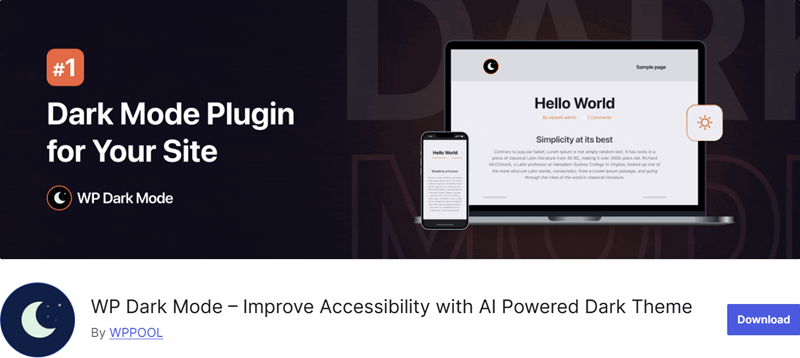
In addition, this plugin offers many robust features like a floating switch button. Also, using his feature, you can display a dark mode floating switch button in the footer of your website. It also has default mode, where you can make dark mode the default mode of the website.
Key Features:
- It auto-matched the operating system theme and shows dark mode if the preferred theme is dark.
- In addition, you can easily enable the dark mode on the back-end admin page.
- This plugin comes with 2 exclusive preset color schemes to change the dark mode from the predefined presets.
- Also, it’s compatible with the Revolution slider plugin.
- In addition, the dark mode will be auto-saved once you activate the dark mode.
How to Enable Night Mode With the WP Dark Mode Plugin?
Like any other plugin, you can quickly install the free plugin right from the dashboard. If you don’t know how, then you can check our article on how to install the WordPress plugin.
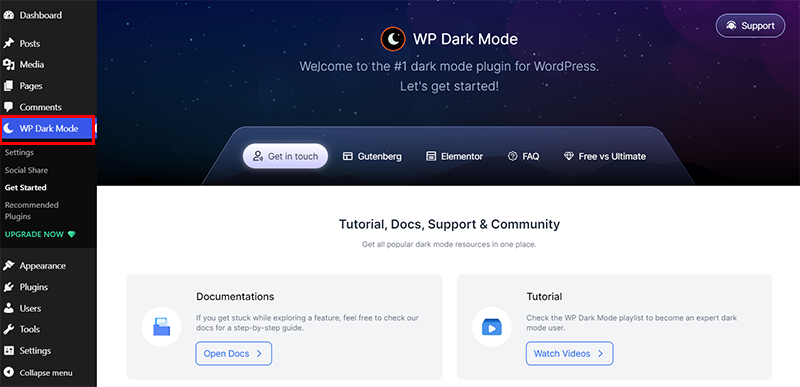
As soon as you activate the plugin, you’ll see the new ‘WP Dark Mode’ menu along with ‘Welcome’ page as shown below.
Then, navigate to the ‘WP Dark Mode>Settings’. From there, on the ‘Frontend Dark Mode’ tab, click on the ‘Enable Frontend Dark Mode’ option.
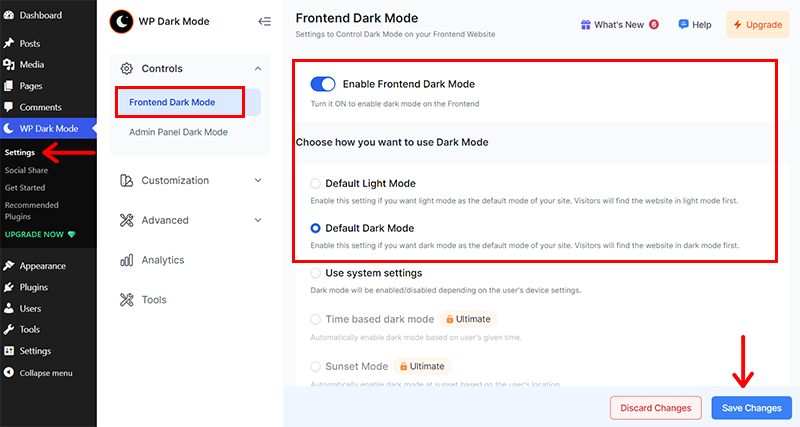
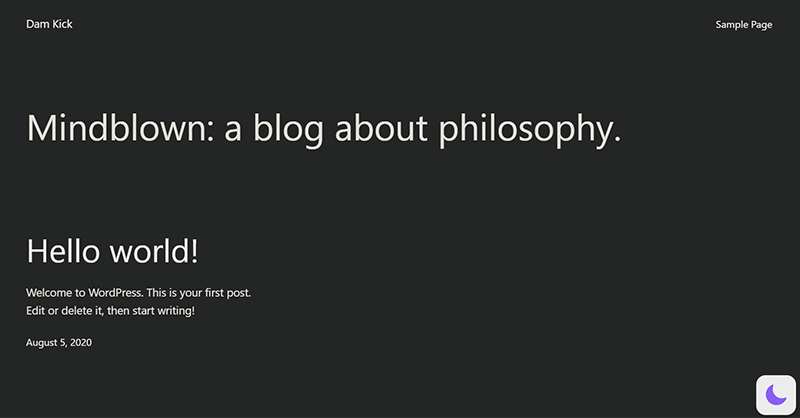
Afterward, click on the ‘Save Changes’ option on the button. Now, if you preview your live website, then your website is in night mode.
Likewise, you can go to the ‘Admin Panel Dark Mode’ tab, and click on the ‘Enable Admin Dashboard Dark Mode’.
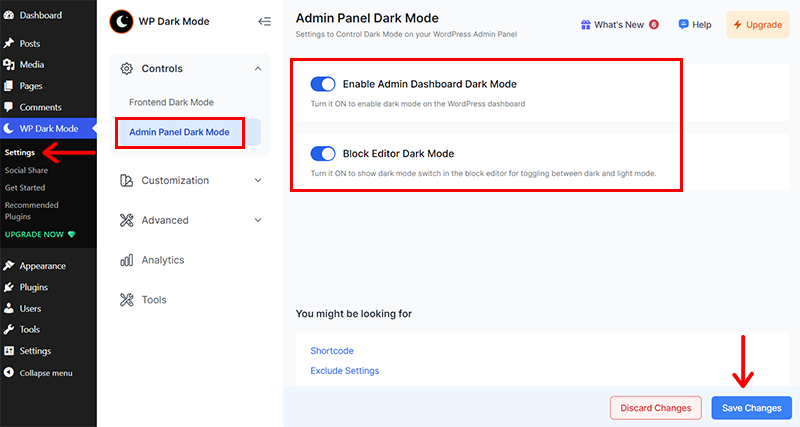
Next, click on the ‘Save Changes’ option on the button as before. With that, you’ll see your admin dashboard is also in night mode.
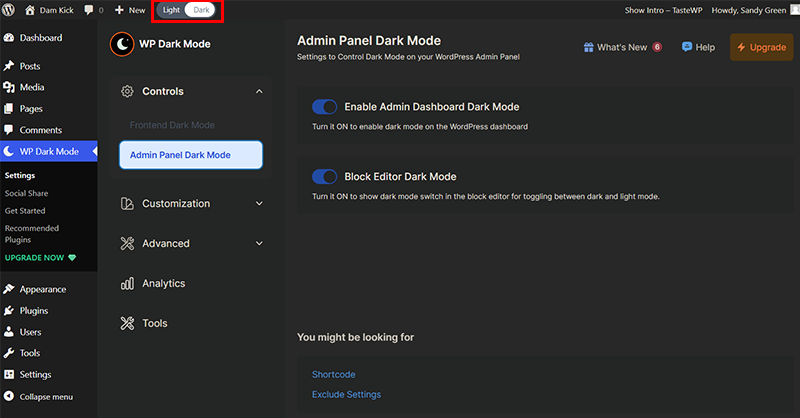
Further, you can also see a Light & Dark toggle tab at the upper menu. From here, you can toggle between day and night as you like. Easy right?
Pricing:
This dark mode WordPress plugin is a freemium plugin that’s available in both free and paid versions. You can directly install the free version from your WordPress dashboard.
Meanwhile, you can upgrade to the premium version with one of these plans:
- Personal: $59/year, 1 site, $99 for every 2 years, time-based, OS-based, and sunset-based dark mode, etc.
- Business: $99/year, 5 websites, $169 for every 2 years, and all Personal plan features.
- Agency: $229/year, 25 sites, $389 for every 2 years, and all Business plan features.
- Enterprise: $349/year, $599 for every 2 years, 50 sites, and all Agency plan features.
2. WP Adminify
WP Adminify is an awesome WordPress dashboard plugin that helps you to customize your website and improve the workflow. You can change the entire color scheme of your dashboard to a dark screen.
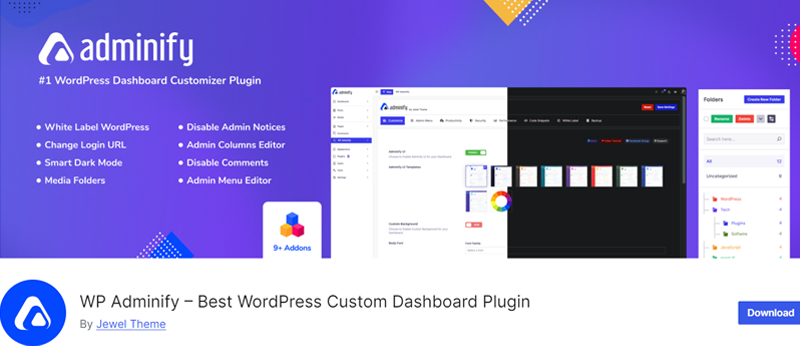
In addition, WP Adminify comes with features, such as can select the dark mode on specific types of operating systems. For example, you can set the website to go to dark mode if the OS is in dark mode. Also, you can customize the logo for dark and light modes.
Key Features:
- Custom logo manipulation with change in width and height.
- It’s simple to insert any type of CSS and JS.
- Easily manage and customize admin columns to fit your workflow.
- Organize your media files into folders for better management and quicker access.
- Also, you can create a clone of any particular page.
How to Enable Night Mode With the WP Adminify Plugin?
You can quickly install the free version of WP Adminify right from your WordPress dashboard.
So, as soon as you install it, you’ll see the Setup panel as below.
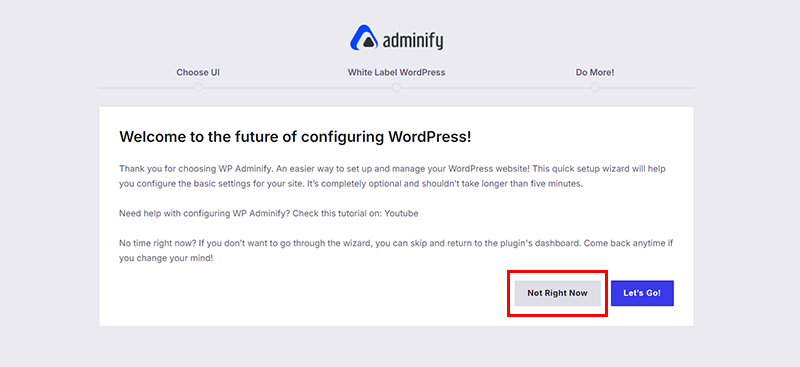
Here, you can simply click on the ‘Not Right Now’ option as you can always customize it later. Following that, you’re taken back to the WordPress dashboard.
Also, you’ll see that a new menu named ‘WP Adminify’ is added on your left-navigation. Here, you need to enable the Show option for the Light/Dark switcher.
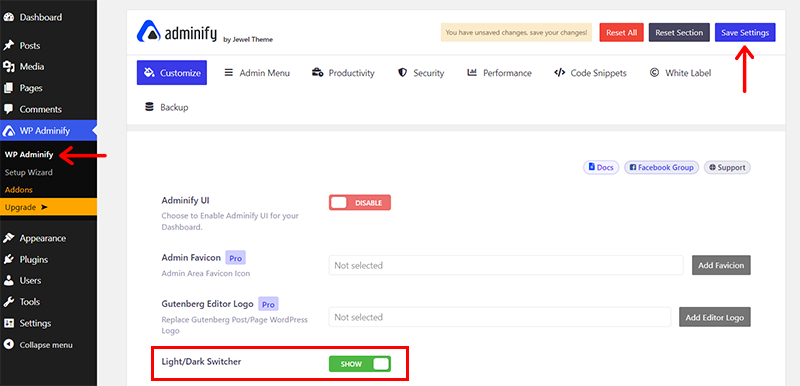
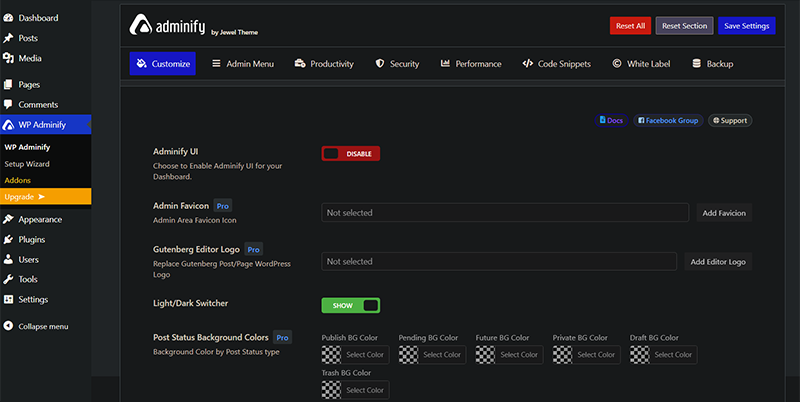
And click on the ‘Save Settings’ option in the top right corner. With that, you can see that your WordPress dashboard is transformed into night mode.
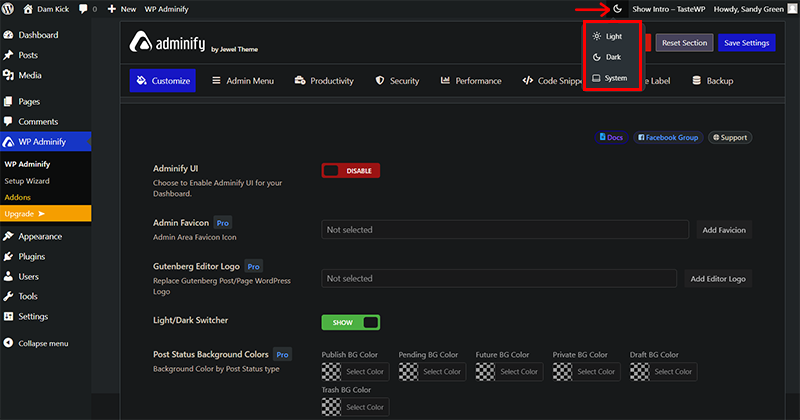
You can further change to day mode or night mode as you like from the Switcher icon on the top navigation bar of the dashboard. From reference, you can see the image below.
Too easy, right?
Pricing:
The plugin can be downloaded for free from WordPress.org. For a premium version, you can purchase it from the official website This plugin is available in 3 pricing plans:
- Personal: $47/year with access to manage 1 website. Along with dark mode, includes a white label feature, translation-ready, a menu editor, and more.
- Business: $77/year access to manage up to 5 websites. All personal features plus multisite features.
- Agency: $209/year with access for up to unlimited sites. All business features plus WP Adminify white label feature.
- Lifetime Bundle: $799 for a lifetime with access for up to unlimited sites, and lifetime updates.
3. Dark Mode for WP Dashboard
Dark Mode for WP Dashboard is another well-liked plugin that makes it easy to switch your WordPress admin area to dark mode. Designed specifically for the WordPress dashboard, this plugin helps reduce eye strain for those who spend a lot of time managing the website.
Additionally, it supports a wide range of popular plugins, including Advanced Custom Fields, Yoast SEO, etc. This ensures a smooth, uninterrupted dark mode experience across your WordPress admin dashboard, even if you’re using multiple plugins.
Key Features:
- Switches the entire WordPress admin area to a sleek dark mode, improving readability in low-light environments.
- Quickly enable or disable dark mode in the dashboard with a simple toggle.
- Easy to set up and works automatically once activated.
- This plugin only affects the admin area, leaving your site’s front-end design unchanged.
- Enable or disable dark mode individually through the profile settings, making it customizable for different users.
Pricing:
You’ll be glad to know that Dark Mode for WP Dashboard is a 100% free plugin to use. Simply install right from your dashboard and you’re good to proceed forward.
4. Dark Mode Toggle
Dark Mode Toggle plugin is another excellent plugin to quickly add a dark/night mode switch to your WordPress site. With this plugin, you can easily switch between light and dark modes by clicking a simple toggle button.
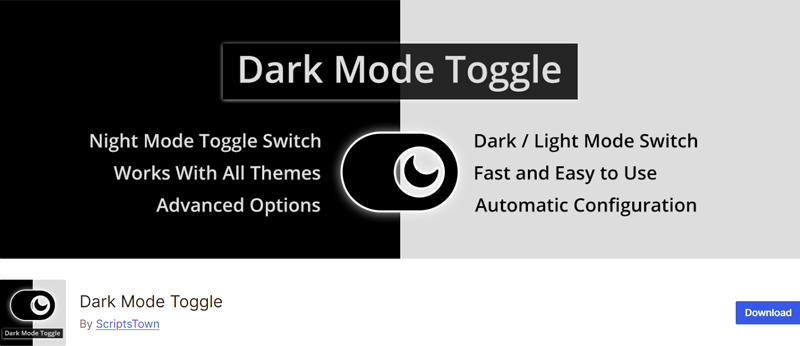
Moreover, the plugin works out of the box with all WordPress themes and offers various customization options. Including the ability to adjust the position, width, height, and border radius of the toggle button. Quiet cool, right?
Key Features:
- Adds an easy-to-use button for switching between light and dark modes.
- Adjust the button’s position, width, height, and border-radius to fit your site’s style.
- It’s designed to be lightweight with minimal impact on site performance.
- Choose specific elements on your website to exclude from dark mode.
- Easy to install and configure, with the ability to save the user’s dark mode preference for future visits.
Pricing:
Dark Mode Toggle is available in both free and paid versions. You can install the free version right from your dashboard.
Yet, if you want premium features, you can upgrade to the premium version, which costs $29 as a one-time payment for a single site license. With that, you get switchable custom button labels, font sizes, toggle button colors, custom button for toggling the dark mode, and more.
5. DarklupLite
DarklupLite is a powerful dark mode plugin for WordPress. This plugin offers a dark mode Elementor widget, that’ll help you to set the dark mode switch button in any post or page. Therefore, using this plugin you can turn any website into an eye-pleasing reading experience in dark mode.
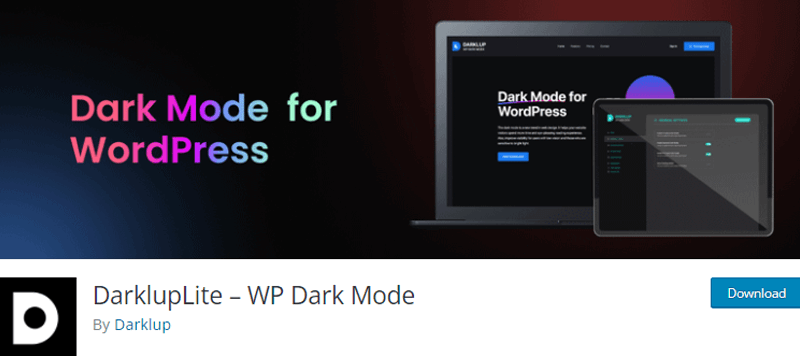
In order to use the dark mode, you simply need to install and activate the DarklupLite plugin on your WordPress dashboard. And, the plugin will display a dark mode accessing switch button for your website’s readers on the front-end.
Key Features:
- You can easily enable and disable the dark mode from the backend admin section.
- It allows you to set start and end times for the dark mode to auto-switch within the preferred time.
- You’ll have 3+ unique color presets to give your website a balanced look.
- Also, offers a keyboard shortcut to turn on or off dark mode using Ctrl+Alt+D.
- This plugin is compatible with Gutenberg.
Pricing:
It’s available in both free and paid versions. You can directly install the free version right from your WordPress dashboard.
Meanwhile, you can also upgrade to the premium version at the following pricing schemes:
- Starter: $29/year or $49 for a lifetime with a single site license.
- Business: $49/year or $129 for a lifetime with 10 site licenses.
- Ultimate: $149/year or $199 for a lifetime with 1000 site licenses.
All the above-mentioned plans include premium features such as switch style customization, site logo dark mode, etc., with priority email support and updates for 1 year.
6. WP Markdown Editor
WP Markdown Editor is an easy-to-use WordPress plugin for your website. This plugin lets you create a stunning dark version of your website. Also, it works automatically as the preference of your operating system.
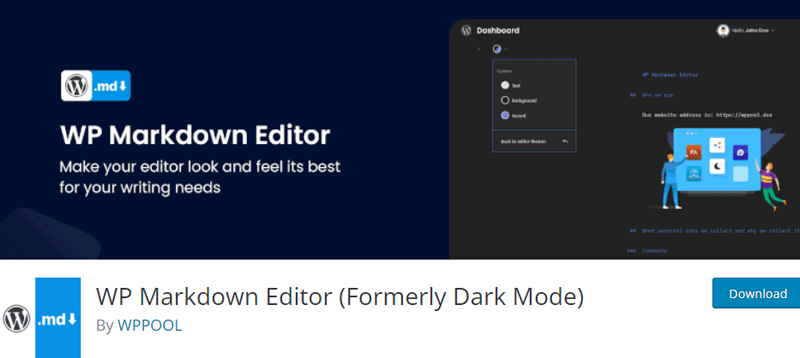
Furthermore, you can select from the ready-made color schemes offered by the developers. In addition, you can also use your custom colors. You can customize the background text and color of your preference.
Key Features:
- You can fully customize the typography of the website according to your choice.
- It automatically shows the dark mode if the OD prefers the dark mode.
- The plugin saves the dark mode once it remembers it.
- Also, you can add emojis to make your content interactive
Pricing:
You’ll be glad to know that WP Markdown Editor is a 100% free plugin that you can easily download from the WordPress.org repository.
7. DarkMySite
DarkMySite is another easy-to-use WordPress plugin that lets you create a beautiful, eye-friendly dark mode version of your website.
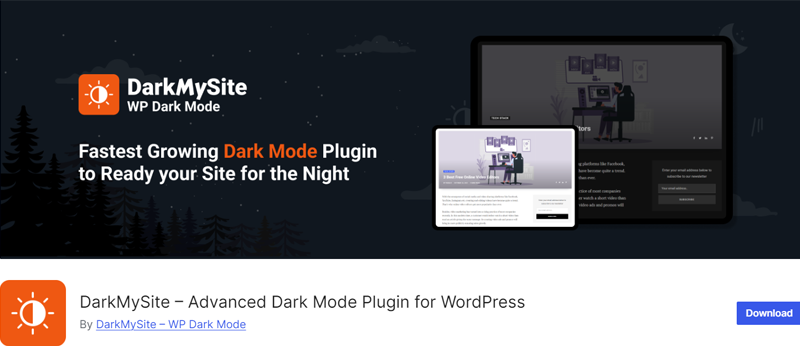
This lightweight plugin uses advanced technology to adapt to your website’s structure. As a result, this ensures optimal design results without slowing down your site.
Moreover, it allows you to toggle between light and dark modes using a floating switch or a menu option. You can even set dark mode as the default theme, with options to exclude certain elements or sections from dark mode.
Key Features:
- Applies dark mode across your entire website with a single click.
- Offers dark mode for the WordPress admin panel, making it easier on the eyes while managing your site.
- Automatically adapts to your device settings, switching to dark mode based on the operating system preferences.
- Customize the floating dark mode switch’s design, color, and position to match your site’s branding.
- Adjust brightness, grayscale, and even replace images and videos for a cohesive dark mode experience.
Pricing:
DarkMySite is available in both free and paid versions. You can install the free version right from your WordPress dashboard.
Nevertheless, you can also go for the premium version which is available to you at the following pricing schemes.
- Personal: $34/year or $59 as a one-time payment that’s usable on 2 sites.
- Professional: $57/year or $92 as a one-time payment that’s usable on 50 sites.
- Agency: $92/year or $109 as a one-time payment that’s usable on 1000 sites.
All the above-mentioned plans include all floating switch, all color presets, and all premium features with priority support.
8. DarkLooks
DarkLooks is a flexible and lightweight dark mode plugin for WordPress that allows you to add a user-controlled light and dark switch to your website. It focuses on usability and customization, giving visitors control over how they view your content while keeping performance impact low.
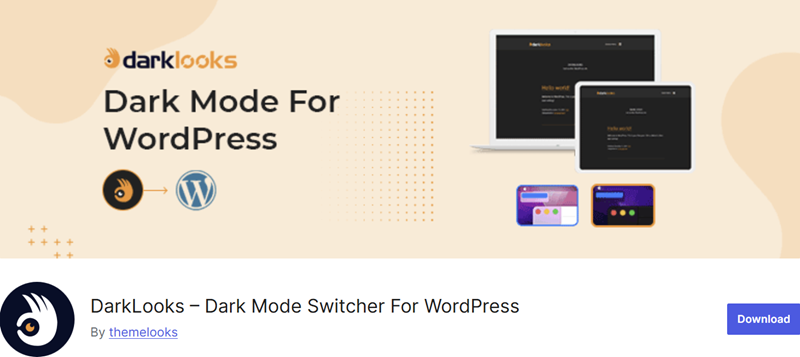
A key strength of this plugin is its control over how dark mode behaves across your site. You can adjust switch position, choose from multiple styles, and even define when dark mode should activate.
Plus, it supports both manual toggling and automatic detection based on the user’s device settings, which helps maintain consistency across browsers and systems.
Key Features:
- The plugin includes a floating switch button with flexible positioning (top, bottom, left, right).
- It offers multiple switch styles and preset color schemes.
- You can enable OS-based dark mode detection for automatic switching.
- It supports custom colors, logos, and images for dark mode.
- A scheduling option lets you activate dark mode at specific times.
- The plugin remembers user preferences for future visits.
- It allows custom CSS for deeper styling control.
- Compatible with WooCommerce and modern WordPress versions.
Pricing:
It’s a free plugin available on WordPress.org. Download it and add it to your website.
9. Darkify
Darkify is a feature-rich dark mode plugin for WordPress that gives full control over both frontend and backend appearance. It allows you to apply dark mode not just to your website but to the admin dashboard and editors as well, making it useful for both visitors and site managers.
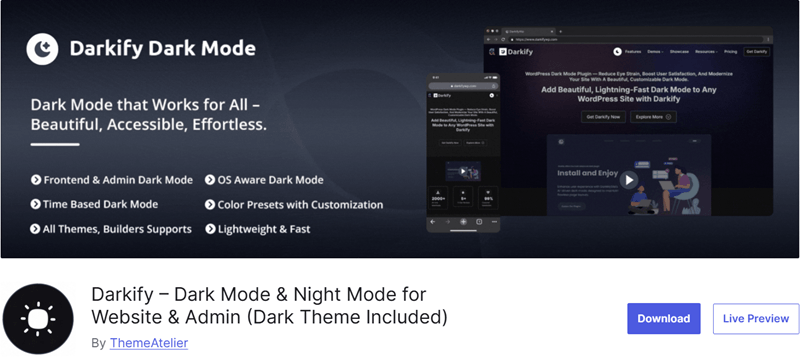
A strong advantage of this plugin is its deep customization and control across different areas of a site. You can enable dark mode globally or target specific pages, elements, or sections. It supports automatic switching based on device settings, scheduled activation, and manual toggling.
Further, the plugin handles images, videos, and UI elements carefully. So, dark mode stays consistent across layouts and content types.
Key Features:
- The plugin supports dark mode for both frontend and WordPress admin dashboard.
- It includes editor-level dark mode for Gutenberg and Classic Editor.
- You can enable OS-based automatic dark mode detection.
- It offers time-based scheduling for automatic switching.
- Multiple toggle switch styles with flexible placement options.
- Advanced control to include or exclude specific pages or elements.
- Media controls for images and videos to match dark mode.
Pricing:
It’s a freemium plugin available for free on WordPress.org.
The premium version includes advanced design controls, extended customization, and more flexibility for professional websites.
- Single Site: $27.3/year, 1 website, 1 year of updates, and 1 year of support.
- Five Sites: $47.4/year, 5 websites, and all features.
- Unlimited Sites: $69.5/year, unlimited sites, and all features.
Conclusion
So, that’s all, folks! We’ve reached the end of this article.
In this article, we’ve discussed the 9 best night mode WordPress plugins along with pricing, features, and even a quick tutorial of some best ones.
We hope this article helps choose the best night mode WordPress plugins for your website. If you’re using any of them, please share your experience with us below in the comment section.
If you have any queries or suggestions, feel free to contact us. We’ll get back to you as soon as possible. Also, if you like this article, then please share it with your friends and colleagues.
You may also like our article on the best dark-mode WordPress themes. Also, read the Ajax category filter WordPress plugins and best WordPress radio broadcast plugins.
Also, follow us on Facebook and Twitter (X) for more useful articles.
2 thoughts on “9 Best Night Mode WordPress Plugins for 2026 (Mostly Free)”
Leave a Reply
YOU MIGHT ALSO LIKE...
We've picked you some best articles that you might be looking for. Check them now!



Why DarkMySite is not listed here as it is super fast and lightweight from all of the mentioned dark mode plugins. Less then 400 kilobyte plugin but provides lots of functions.
Helpful and resourceful blog. I have installed 3 plugins for test purpose from your blog and found Darklup Lite the most convenient one.